




Link+C-Shaped App-Controlled Device


- Press and hold the Link+ power button until the light starts blinking.
- Open the MyMuse Sync app, enable Bluetooth, and tap “Connect Device.” Need help? Check out our easy step-by-step setup guide.
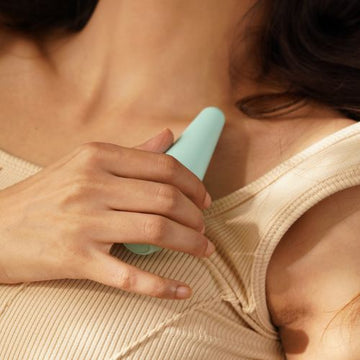
- Use a water-based gel (like Glide) for smooth, comfortable use. Place Link+ in position so it sits naturally and feels secure.
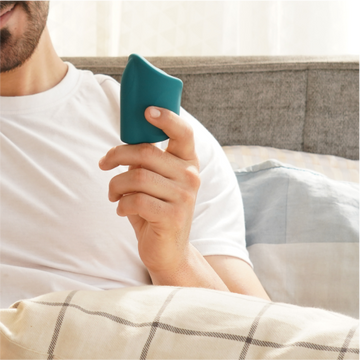
- Control vibration patterns through the app - try live control, create your own speeds, or connect remotely for an interactive experience.
- Pro Tip: Link+ also works without the app! Use the power button to cycle through the 10 preset vibration modes.
- Front View
- Top View
- MyMuse Sync App
-
- Run Time 2 hours
- WaterProof IPX6
- Max Volume 60db

- Charge Time ~1 hr
- Battery220mah li-on
- Voltage Capacity 5V/1A
- At MyMuse, we use the highest quality materials to ensure your safety, comfort and overall experience.
- Made with 100% Body Safe Silicone, and free from BPA, latex, lead, and phthalates, Link+ is totally safe for use.
-
- Run Time 2 hours
- WaterProof IPX6
- Max Volume 60db

- Charge Time ~1 hr
- Battery150mah li-on
- Voltage Capacity 5V/1A
-

- Compatibility: iOS 14.0+ (iPhone only), Android 8.0+
Not supported on tablets, laptops, or smartwatches. - Connection: Bluetooth pairing with MyMuse devices.
- Privacy & Security: End-to-end encryption for secure data storage and transmission.
- Range: Up to 10m for Bluetooth connection. Unlimited range for long-distance mode.
Need help? Check out the MyMuse Sync How to Use & Troubleshoot page.
- Compatibility: iOS 14.0+ (iPhone only), Android 8.0+
The MyMuse Sync app reimagines connection by giving you full control over your device from your phone. Here's how it works:
- Live Touch Control: Swipe to seamlessly adjust vibrations in real-time.
- Custom Speed Patterns: Create, save, and explore infinite patterns.
- Long Distance Play: Share control with your partner anywhere in the world, with a simple 6-digit code.
- Privacy First: Enjoy encrypted, secure sessions with complete privacy.
Need help? Check out the MyMuse Sync App How to Use & Troubleshoot page.
We offer a 100-day warranty on this product!
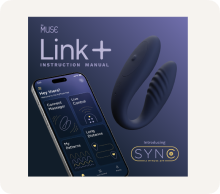
Box Inclusions



5,00,000+ Indians Love Us
We asked our customers about their
MyMuse experience. Here's what they said...
-
91%
Loved their purchase and found it discreet yet powerful
-
86%
Show an improved relationship with their own body
-
100%
Believe that healthy playtime improves overall happiness


Featured Customer Reviews
Here’s How Link+ Changes The Game

Elevated Power Play

Blended Bliss

Designed with You in Mind
FAQs
How does the C-shape design enhance the experience
Link’s C-shape design is crafted for comfort and versatility. It is easy to insert and hold in place, providing simultaneous
sensations internally and externally.
Do I need to use the app to operate Link+?
Technically, no. Link+ works without the app too—just use the button on the device to cycle through 10 pre-set speed patterns.
But if you really want to turn up the heat (or hand over control), the MyMuse Sync app’s your best friend. Long-distance? Live control? Custom vibes? All in one tap.
How do I use the MyMuse Sync app?
To learn how to use the MyMuse Sync app and explore all its features, visit our How to Use & Troubleshoot page. This covers everything you need to get started and make the most out of your experience.
How do I download the MyMuse Sync app?
Scan the QR code in the product manual or find MyMuse Sync on the App Store or Google Play Store. Download, create an account, and start using your Dive+ massager!
The MyMuse Promise