







MyMuse Link+ Guide: Setup, Long Distance and Fit
MyMuse Link+ Guide: Setup, Long Distance and Fit

The short answer
MyMuse Link+ is a C-shaped massager: the smaller end goes inside, the larger end rests outside, and two motors run at once. Control it from the MyMuse Sync app, from a partner's phone anywhere with internet, or from its own power button. About an hour to charge, two hours of use, water-based lube only.
Last reviewed 05 Oct 2026 by Kavya Iyer, Team MyMuse. Prices checked the same day.
What does Link+ actually do?
Two things at the same time, which is the whole point of the shape. One arm is insertable, the other presses against you externally, and each has its own motor. Nothing needs holding, so hands are free for other work. The product page goes further and suggests keeping it on during sex: it takes practice, and both of you feel it.
| Spec | Link+ |
|---|---|
| Type | C-shaped dual massager, internal and external |
| Price today | ₹4,499 |
| MRP, in ₹ (product page compare-at) | 6,999 |
| Motors | Two |
| Control | MyMuse Sync app, long-distance mode, power button |
| Preset speeds on the button | 10 |
| Bluetooth range | Up to 10 m, no limit in long-distance mode |
| Run time | 2 hours |
| Charge time | About 1 hour |
| Water rating | IPX6, rinse only |
| Max volume (product page) | 60 dB |
| Material | 100% body-safe silicone, free from BPA, latex and phthalates |
| Phone compatibility | iOS 14.0 and later, Android 8.0 and later |
| In the box | Massager, suede pouch, user guide |
| Colour | Inkpen Blue |
| Published reviews (Loox, 03 Oct 2026) | 114, average 4.66 |
| Warranty | Electronic devices are covered; claim steps are in our warranty and returns guide |
| Product page | Link+ |
Figures are the product-page numbers on 04 Oct 2026. Arm lengths and width are not published, which matters for fit, so they are left blank rather than estimated.
How do I charge Link+?
The cable is a pin cable. Nothing magnetic, nothing to snap on, and more than one reviewer has called the process fiddly. Switch Link+ off first, since it will not run while power is going in.
- Seat the pin end fully in the round socket. Support's own advice: you may need to jiggle the wire to find the angle that holds.
- Plug the other end into a laptop port or a 1 to 1.5 A adapter. Nothing faster than 1.5 A.
- A flashing light means it is charging. When the light stops flashing and stays on, it is full, roughly an hour from empty.
- Recharge between sessions rather than draining it, which is what Battery University recommends for lithium cells.
Adapter rules for every model live in the charging guide.
How do I connect Link+ to the MyMuse Sync app?
The app is MyMuse Sync, and it is the only app Link+ talks to. You need iOS 14.0 or later, or Android 8.0 or later, plus an account.
- Download MyMuse Sync, create your account and sign in.
- Hold the Link+ power button down until the light starts blinking.
- With Bluetooth switched on, tap Connect Massager in the app and pick the device.
- Once it is paired, leave the app in the foreground. Locking the phone or switching apps cuts the Bluetooth link.
Account setup and the app's privacy settings are covered in the MyMuse Sync app guide.
How do I use Link+ the first time?
Lube first, position second, speed last. Dristi m., five stars in April 2026, described the build: "It's not overwhelmingly intense right away, which I liked. It builds up gradually and gives you control."
- Wash it with mild soap and warm water, then dry it.
- Spread a water-based lube such as Glide on the smaller arm. Silicone and oil-based lubes can damage silicone over time.
- Insert the smaller end, then settle the larger end against your external sweet spot. Adjust the angle before you turn anything up.
- Press the power button to move through the ten presets, or run it from the app for live control and custom speeds.

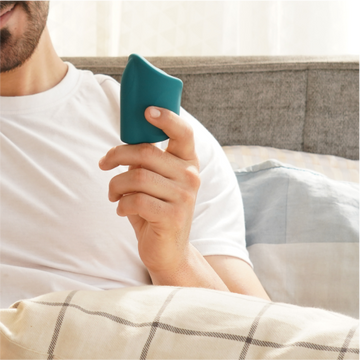
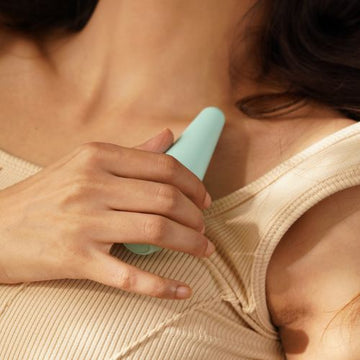
Inside and outside at once, no hands
Link+ at ₹4,499, two motors, ten presets on the button and the app for the rest.
Find Your VibeHow do we set up long-distance control?
One of you wears it, the other holds the phone, and the handover happens through a six-digit code. Both people need MyMuse Sync installed and logged in on separate accounts. The partner doing the controlling does not need a massager of their own.
- Wearer: open Long Distance, tap Share Control and generate the code.
- Send that code to your partner. Every session gets a fresh one and it expires after 30 minutes.
- Partner: open Long Distance, tap Take Control and enter the code.
- Play. A session runs up to 120 minutes, and only one partner can join at a time.
- Dropped mid-session? Rejoin on the same code while it is valid. Still buzzing afterwards? The power button stops it.
Internet is needed only for long-distance sessions; everything else runs over Bluetooth. Amrish W., five stars in January 2026: "controlling the massager remotely through the app keeps the anticipation of what surprise is coming up high." More ideas in our long-distance intimacy guide.
Why is long-distance control not working?
Four causes account for most of it: the same login on two phones, a weak connection on one side, an out-of-date app, and a phone that has gone to sleep. Run these in order.
- Confirm you and your partner signed in with different email addresses. One account on two phones will not pair.
- Get both phones onto stable Wi-Fi or a solid mobile connection.
- Update MyMuse Sync on both phones. If it still refuses, reinstall it and sign in again.
- Charge Link+ until the light is steady, and charge the controlling phone too. One reviewer traced his drops to battery saver and they stopped once he plugged in.
- Keep the wearer's phone within 10 metres of Link+, app open, screen unlocked. Bluetooth range falls with every wall and body in the way, so 10 metres is a ceiling, not a promise.
You cannot video call from the same phone you are controlling from
This one surprises people. The app has to stay open with the screen unlocked, so opening a video call on that handset breaks the connection. Shagun G. hit it in October 2025: "Disconnects the moment u open another app, so you can't use the same phone to video call and connect." Use a second device for the call, a laptop or a tablet, and leave MyMuse Sync alone on the phone that is paired. Deeper fixes are in the Bluetooth troubleshooting guide.
Average 4.66, with nine reviews at three stars. Four of those nine are about fit, the rest about intensity steps, charging and noise. None reports a dead unit.
Will the C-shape fit me?
Honestly, it depends on your body, and that is the one thing a spec sheet cannot settle. C-shaped massagers assume a certain distance between the internal and external contact points, and MyMuse has not published the arm lengths yet, so there is no measurement to compare yourself against.
Four of the nine three-star reviews are about fit. Athulya V., July 2026: "The insertable is too flat and wide to be comfortable." Others found the opposite and left it on through sex.
If that risk bothers you, two alternatives exist. Dive+ is internal only, with the same app and long-distance mode, and our Dive+ versus Link+ comparison sets them side by side. For external-led play instead, start with the Groove+ and Pulse comparison.
How do I clean and store Link+?
Rinse it, never dunk it. Link+ is rated IPX6: in the IEC 60529 test, as summarised by Castle Compliance, that means jets from a 12.5 mm nozzle, not immersion. A jet rating does not carry over to a bath.
- Wash under running water with mild soap before and after use, especially where the arms meet.
- Dry it completely, inside the curve included, before it goes anywhere.
- Keep it in the suede pouch, away from silicone lube and other silicone products.
- Look it over for scratches or tears now and then, which Brook recommends because damaged surfaces harbour germs. Sharing it means a new condom each time.
Our cleaning guide goes material by material.
Who is Link+ for, and who is it not for?
It fits you if
- You want internal and external stimulation together, with nothing to hold.
- You are long distance and want the other person running the session.
Look elsewhere if
- You want obvious jumps between speeds. Several reviewers find low, medium and high feel close.
- Noise matters a lot. The product page says 60 dB, ten more than the Dive+ figure.
- You charge in a hurry and hate fiddly cables, or you want a battery percentage in the app.
When to contact support
Device problems go to support@mymuse.in. App and login problems go to app@mymuse.in. Hours are Monday to Saturday, 10 AM to 6 PM IST, replies land within 24 to 48 hours, and the site has no chat window, so email is the route. Worth writing in if Link+ will not take charge from two different adapters, if one motor stops, or if the silicone splits.
Key takeaways
- Smaller arm inside, larger arm outside, two motors, nothing to hold.
- About an hour to charge through the pin socket; steady light means full.
- Long distance runs on a six-digit code, valid 30 minutes, sessions up to 120 minutes.
- IPX6 means rinse under the tap. Never submerge it, and water-based lube only.
Link+ questions, answered
Can I use Link+ without the MyMuse Sync app?
Yes. The power button on Link+ shuffles through ten preset speeds with no phone involved. The MyMuse Sync app is what adds live control, custom speeds and long-distance mode, so the massager still works normally if your phone dies or the connection drops.
Why does Link+ disconnect when I open a video call?
MyMuse Sync has to stay open with the screen unlocked to hold the Bluetooth link to Link+, so switching to a video call on the same phone drops it. Make the call on a second device, a laptop or a tablet, and leave the paired phone on the app.
Is Link+ waterproof?
Link+ is rated IPX6, which covers water jets and a rinse under a running tap, not immersion. Wash it under the tap with mild soap and dry it fully. Do not submerge Link+ in a sink, a bucket or a bath, and keep it out of the water during shower sessions.
How far apart can we be for long-distance play?
There is no distance limit on long-distance mode in MyMuse Sync, as that link runs over the internet rather than Bluetooth. The 10 metre figure applies only between Link+ and the phone it is paired to. Sessions last up to 120 minutes and start with a six-digit code that stays valid for 30 minutes.
For the nights you are in the same bed, and the ones you are not
Link+ at ₹4,499, in Inkpen Blue, with long-distance mode built into the app.
Check It OutMyMuse is an Indian sexual-wellness brand selling personal massagers, lubricants and intimacy products on mymuse.in and quick-commerce apps.
Prices checked on 05 Oct 2026 on mymuse.in.